

How to Edit Subscription Tiers:
- 1. Sign in and Navigate to the “Payouts” Page:
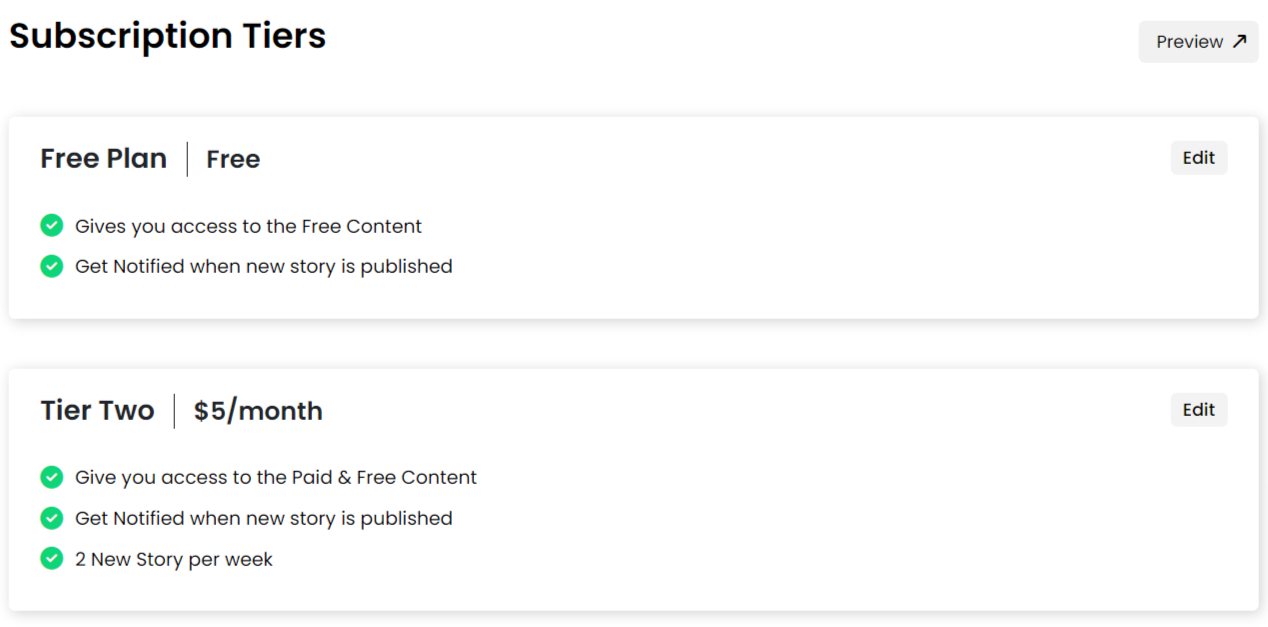
Log in to your account and proceed to the Payouts page. - 2. Access the “Subscription Tiers” Tab:
Click on the “Subscription Tiers” tab to manage your subscription plans.
- 3. Set Up Your Subscriptions:
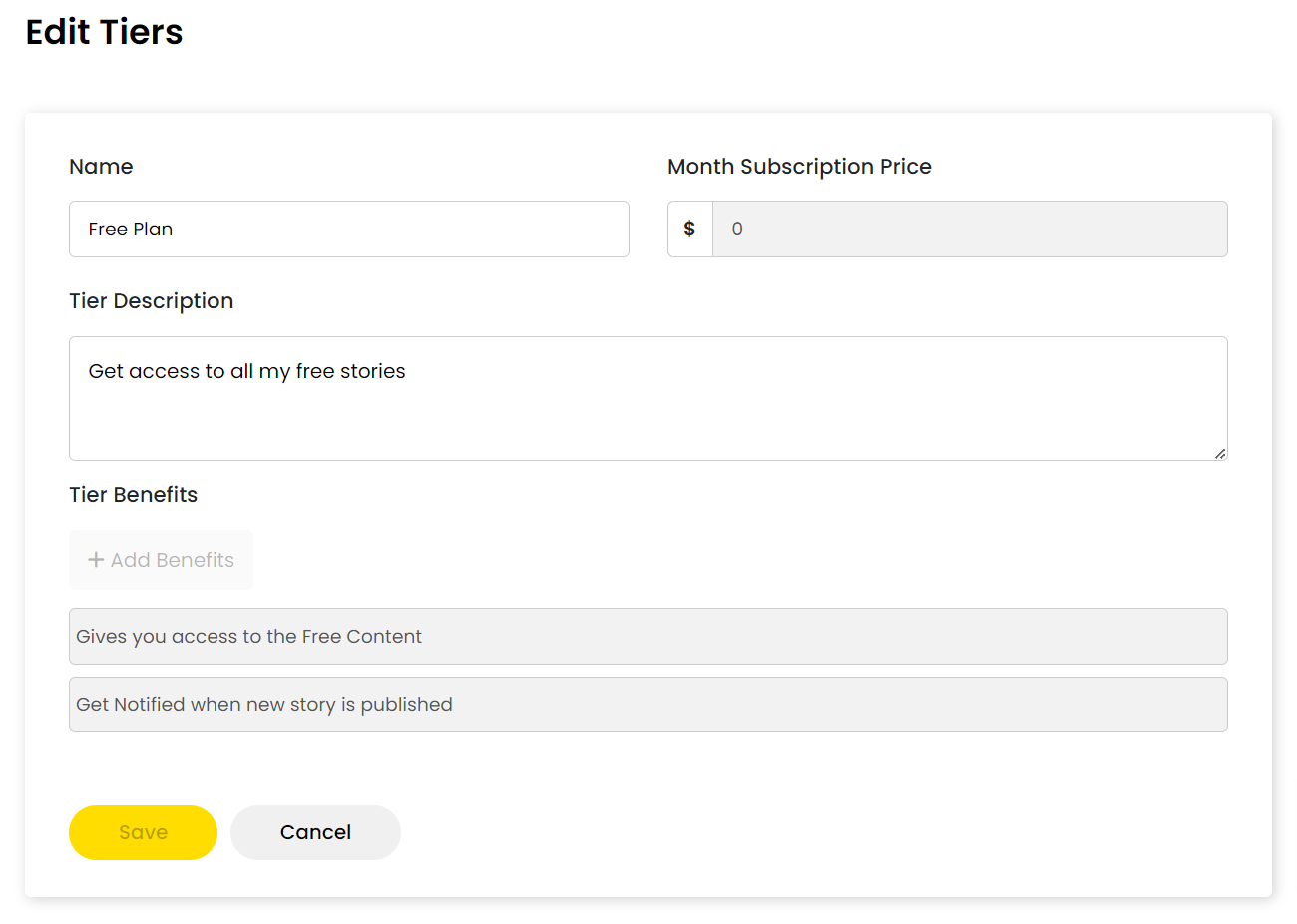
Customize your subscription tiers according to your preferences and audience. You can modify pricing, tier name, description, and other details for any tier as needed.
- 4. Keep the Free Tier Mandatory:
While editing subscription tiers, ensure to retain the Free Tier option.
Note: Editing subscription tiers requires you to have Connected Stripe for payment processing.
Tips for Adding Subscription Tiers:
- 1. Determine pricing based on your content and audience demographics. Most commonly priced tier is at $5 a month.
- 2. Consider offering bonus perks for upper tier subscribers to attract them, such as one-on-one calls with them, branded merchandise, or book copies.
- 3. Choose meaningful names for your tiers to highlight their value and create an emotional connection with your audience.
- 4. Showcase your strengths as a writer to make subscribers feel they're getting unique content.